LilyPad: swap details with a single scan

There is a small, universally awkward moment at the end of a good conversation with someone new.
One of you says "let me get your number," and then you're both standing there. A phone gets handed over. Someone spells a last name twice. Someone types an email into a Notes app and never looks at it again. By the time you're home you have "Sable? (market, dog)" in your contacts and no idea who that is.
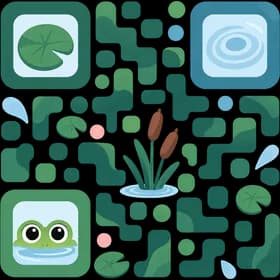
A LilyPad is how you skip that. One scan, and the details go across properly.
How it works
You make a LilyPad. You choose which of your own fields to include. Your name and photo, your phone, your email, the city you're in, what you do. You see exactly what will be on it before you share it, and only what you turn on is included. Nothing gets swept in because it happened to be in your profile.
They scan it. You hold up your code, they open YourPond and scan it, and your details land on their screen, spelled the way you spell them. No typing, no reading digits off a screen one at a time.
They keep it, or they don't. They see what you sent and decide. If they add it, you become a contact in their account like anyone else they've saved. If they don't, nothing happens.
No spelling it out, no fat-fingering an email into Notes, no "I'll find you on LinkedIn later," which is the thing everyone says and nobody does. You scan, and it's done.
It's a snapshot, not a live link
A LilyPad is a point-in-time copy. Whoever receives it gets your information as it was at the moment you shared it. If you change jobs next year, their copy doesn't change, the same way a business card in someone's drawer doesn't rewrite itself.
That's a deliberate choice, not a missing feature. A live link is a permanent window into your profile, held by someone you met once at a conference. A snapshot is a thing you handed over on purpose, and it ends where you left it.
You control how a LilyPad is shared and how long it stays active, and you can stop it from working. While it is active we use safeguards such as encryption to protect it. Once it stops being active, either because it expires or because you stopped it, it can no longer be claimed.
Why not a business card app
The digital business card apps solve the sending half. You get a nice card, you send it, and then it sits in a card app the other person opens roughly never.
A LilyPad lands somewhere they actually return to. When someone adds your LilyPad, you're not a card in a card app. You're a contact in their own YourPond, next to their college friends and their coworkers, in the place they go when they're trying to remember who you were. That's the half that matters, and it's the half those apps skip.
It runs both directions. They can send you theirs, and you get the same thing back: a real contact, correctly spelled, without you typing a word of it.
What it's good for
- Conferences and meetups, where you meet nine people and remember two.
- The friend-of-a-friend at a dinner who you'd actually like to see again.
- Anywhere you'd normally say "text me and I'll save you," which works about a third of the time.
- Getting a new number saved properly, spelled right, with the photo attached.
Other people's information
YourPond is a product about other people's details, so this is worth saying plainly. When you receive someone's LilyPad and add them, that information becomes a contact in your own account, and you're responsible for it the way you are for any other contact you store. Share what you have a genuine reason to share, and treat what you receive the way you'd want yours treated. That goes both directions.
Try it the next time you meet someone
Next time a conversation ends with "let me get your number," pull up your LilyPad instead and see how much shorter that moment gets.
LilyPad is part of everything YourPond does to keep the people you care about close, and it's the fastest way to get someone in there in the first place. What happens after the scan is the rest of the product. Group them into a list, remember their details, and actually stay in touch.